How to Build a Math Bot on Scratch with AI
July 22, 2026
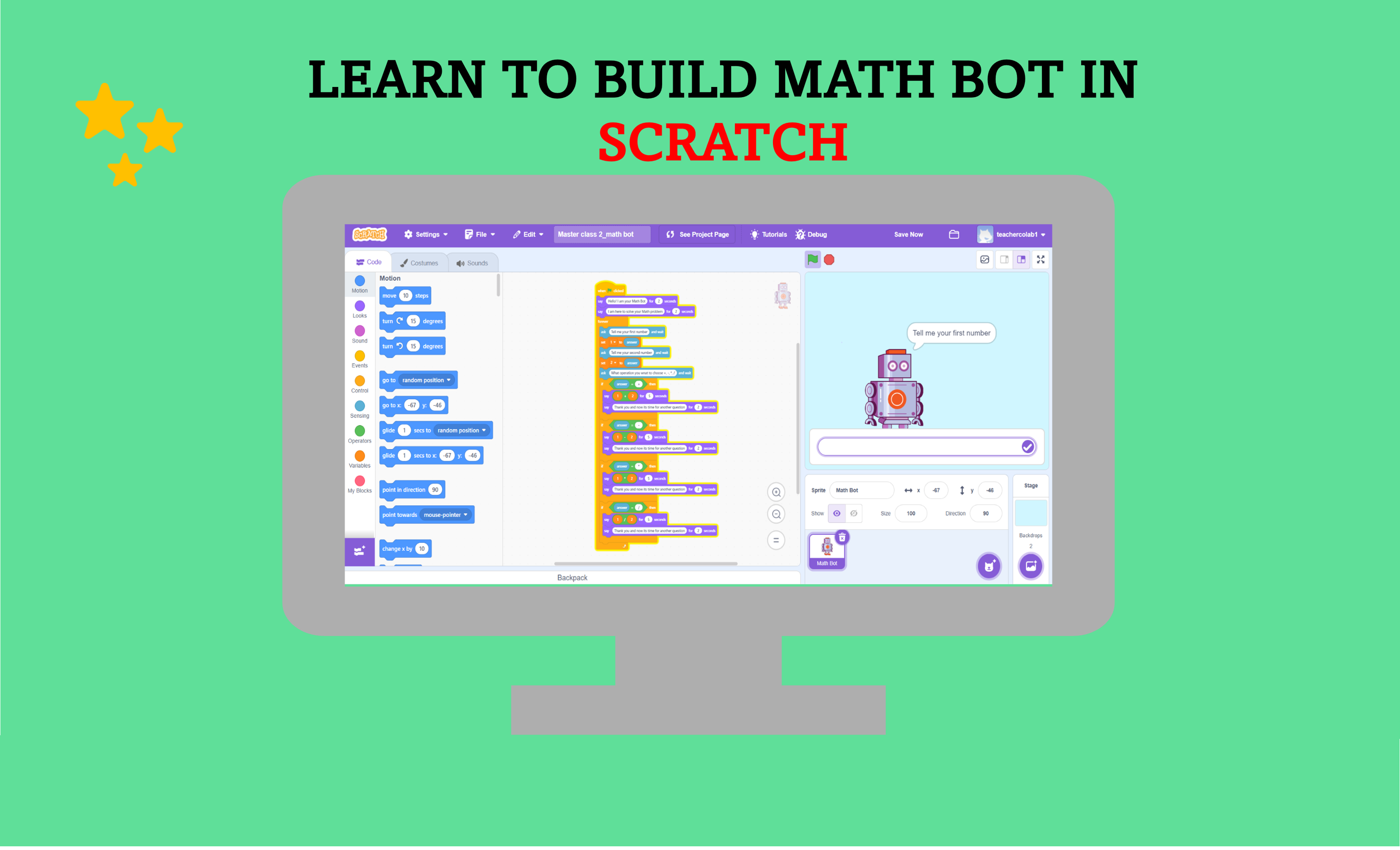
Learn how to build your own AI-inspired Math Bot in Scratch! This beginner-friendly project teaches variables, operators, user input, decision making, and chatbot logic while creating a fun interactive calculator. Perfect for kids who want to start coding with Scratch.
Introduction
Have you ever wished you had your own robot that could solve math questions instantly? What if you could build one yourself without writing a single line of complicated code? With Scratch, you can create your own Math Bot that asks questions, understands simple commands, performs calculations, and gives answers just like a mini AI assistant.
In this tutorial, you'll learn how to build a Math Bot using Scratch's drag-and-drop coding blocks. Along the way, you'll understand important programming concepts such as variables, operators, user input, and conditional statements—the same building blocks used in real software development.
What is a Math Bot?
A Math Bot is an interactive program that communicates with users and solves mathematical calculations. Instead of typing formulas into a calculator, the user simply answers the bot's questions and the bot instantly calculates the result.
Press green flag to start
Example Conversation
bot: What is the first number?
user: 15
bot: What is the second number?
user: 9
bot: Which operation would you like to perform? (+, -, ×, ÷)
user: +
bot: The answer is 24.
user: 15
bot: What is the second number?
user: 9
bot: Which operation would you like to perform? (+, -, ×, ÷)
user: +
bot: The answer is 24.
What You'll Learn
By completing this Scratch project, you'll learn several fundamental programming concepts that are used in real-world software development.
- Ask questions using Scratch
- Store user input using variables
- Use mathematical operators
- Build logical decision-making with If blocks
- Create an interactive chatbot
- Understand how conversational AI works
- Develop problem-solving and computational thinking skills
Before You Start
Open Scratch and create a new project. Before we start coding, make sure everything is ready.
- One Robot Sprite
- One Background
- Variables
- Operator Blocks
- Sensing Blocks
- Control Blocks
Step 1: Choose Your Robot
Every chatbot needs a friendly character. Open the Scratch Sprite Library and choose a robot sprite, or upload your own custom robot. Select a futuristic backdrop to make your chatbot look more realistic.
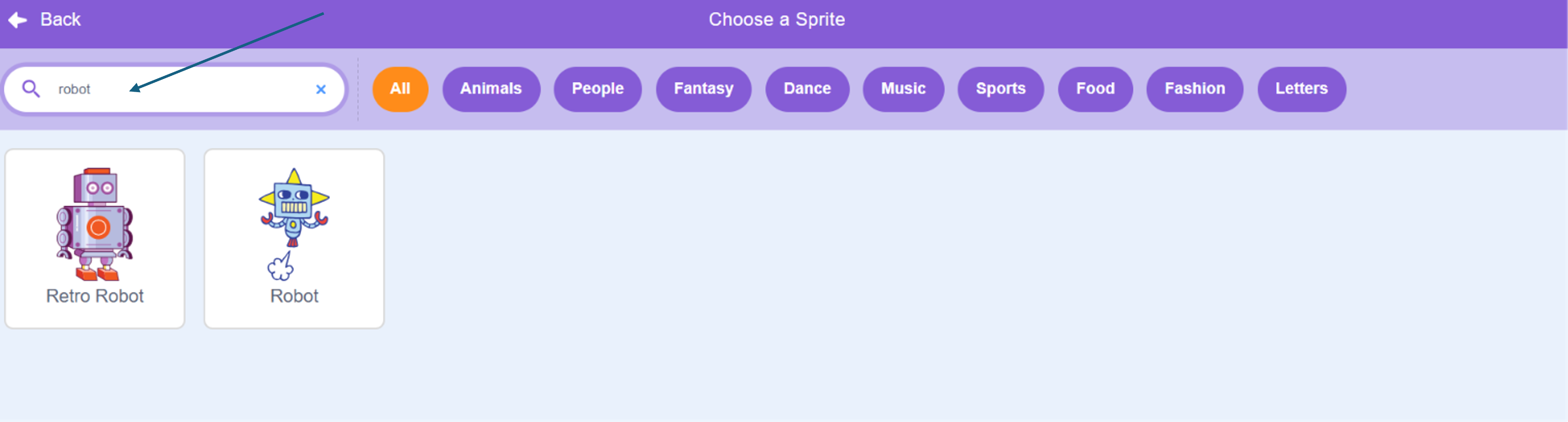
Your robot will communicate with the user, ask questions, perform calculations, and display the answers throughout the project.
Step 2: Ask the User for Numbers
The first task of your Math Bot is to ask the user for two numbers. Scratch provides the Ask () and Wait block, which pauses the program until the user enters a response.
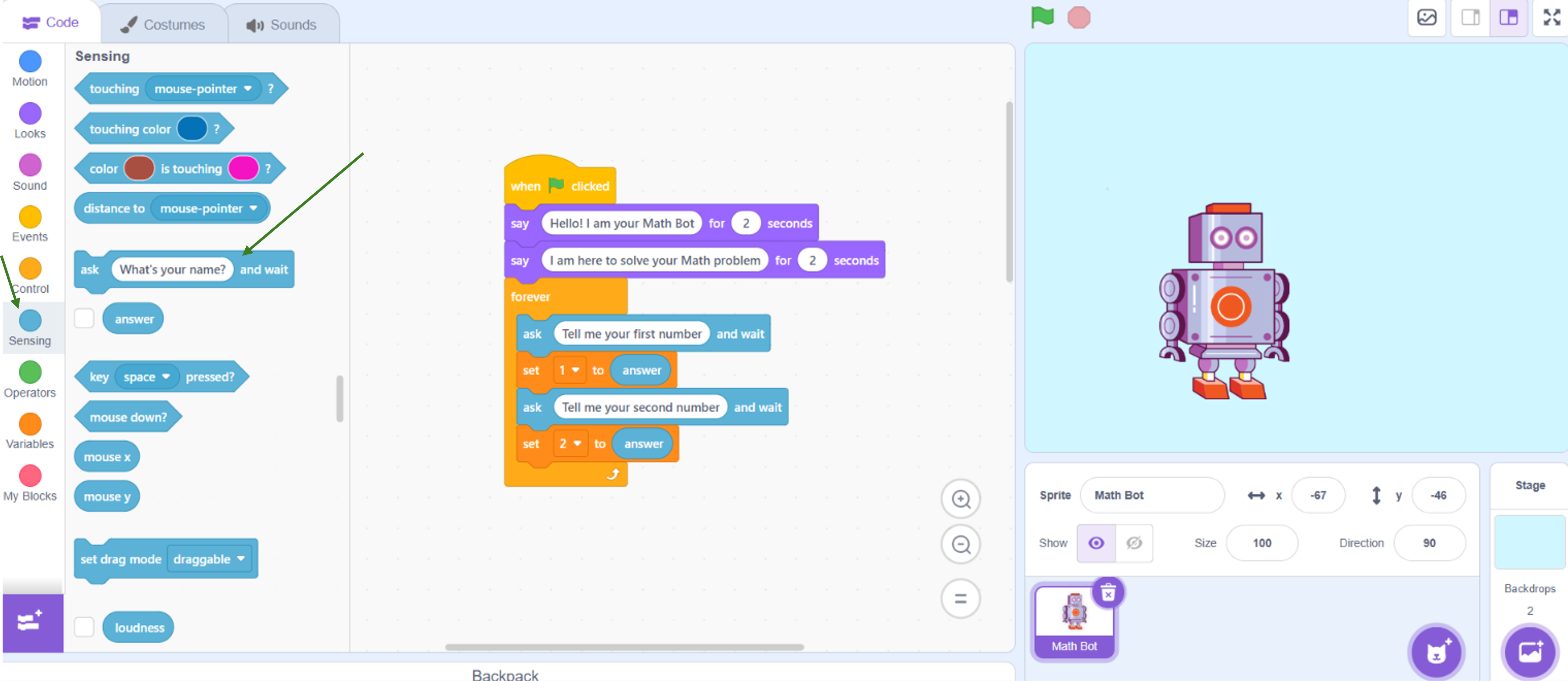
First ask, 'What is the first number?' Then ask, 'What is the second number?'. Scratch automatically stores each response inside the Answer block.
Step 3: Store the Numbers
Instead of using the Answer block directly, save the user's inputs into two variables such as Number1 and Number2. Variables allow your program to remember values and use them later in calculations.
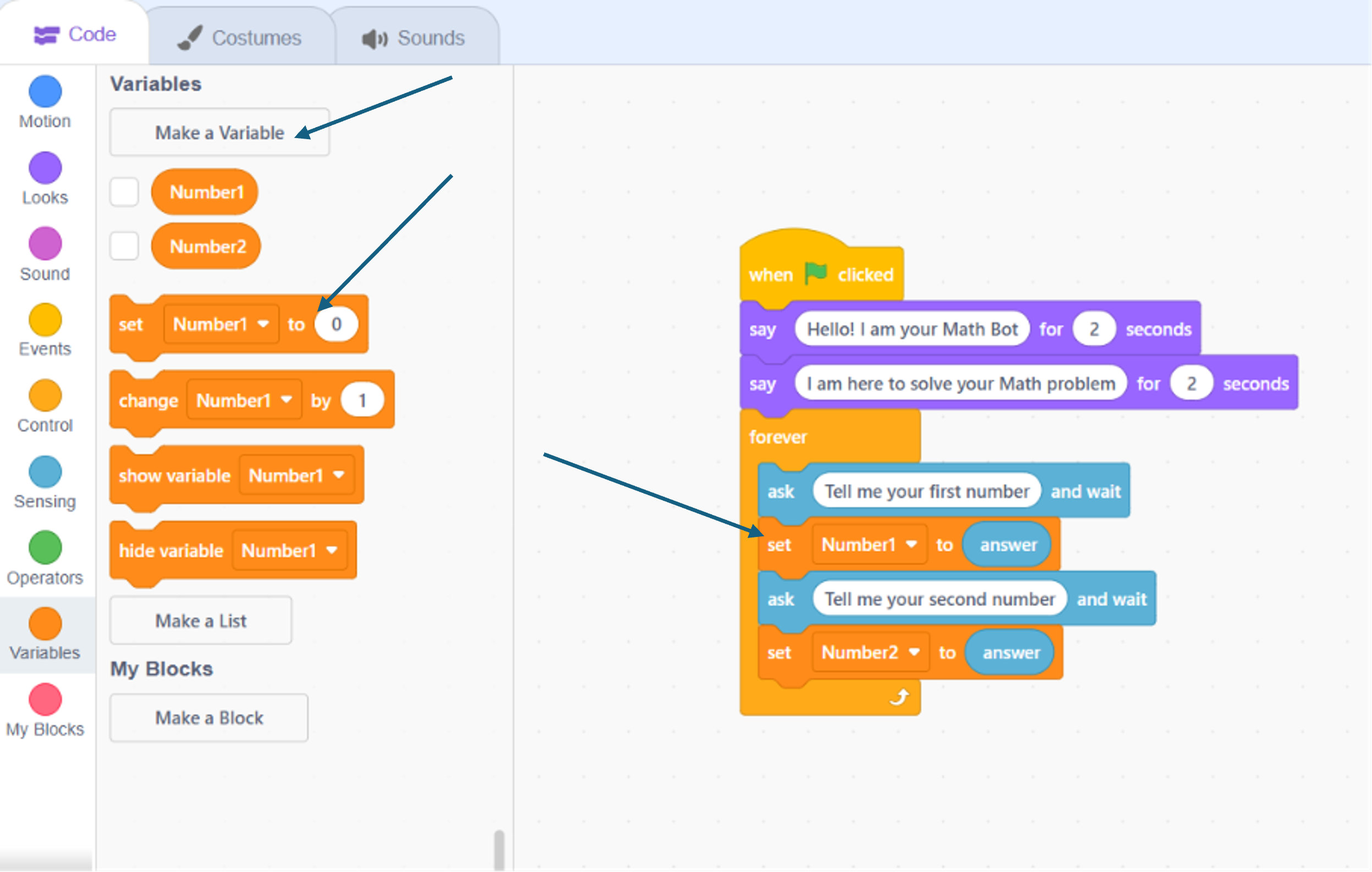
Using variables makes your project organized and prepares you for more advanced programming concepts you'll encounter in Python, JavaScript, and other programming languages.
Step 4: Ask Which Operation to Perform
Now it's time for your Math Bot to ask which mathematical operation the user wants to perform. Ask the user to enter one of the following operators: +, -, ×, or ÷. Their answer will determine which calculation your program performs.
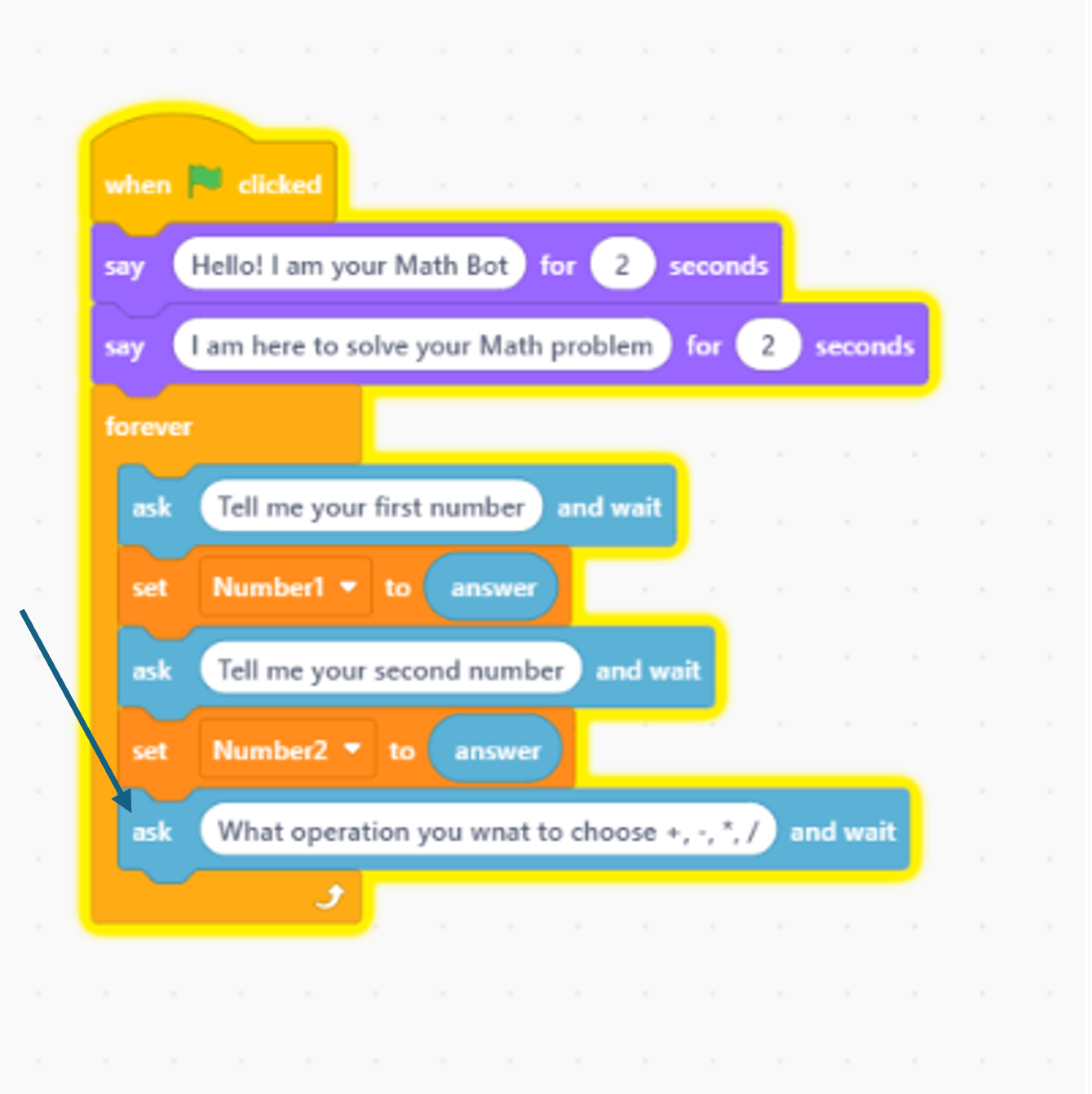
Step 5: Perform the Calculation
Use If blocks to check which operator the user entered. Depending on the response, perform addition, subtraction, multiplication, or division using Scratch's Operators blocks.
math-bot-logic.txt
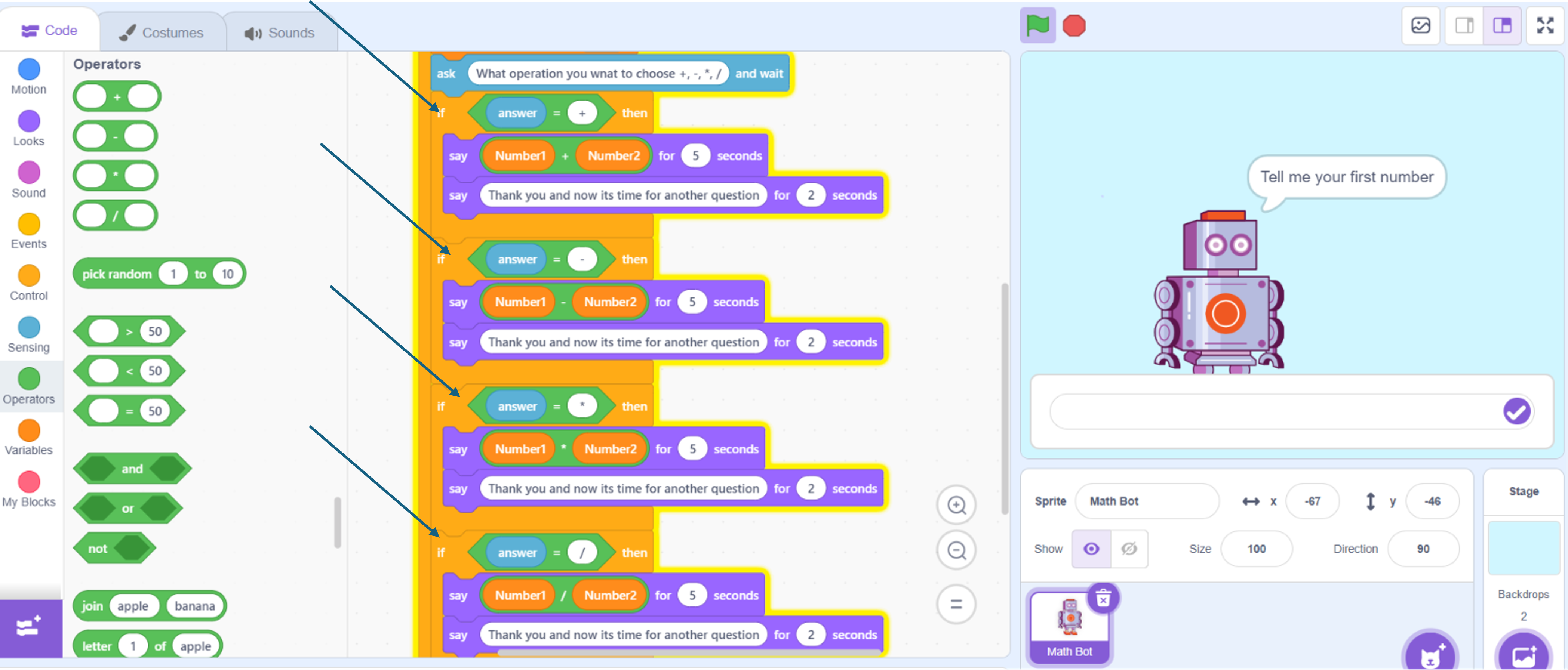
Each condition checks the user's choice and performs the appropriate mathematical operation. This is how your chatbot makes decisions.
Step 6: Time to Chat to your Math Bot
Finally, use the Say block to display the result. Your robot now behaves like a simple AI-powered math assistant that can communicate with users and solve calculations instantly.
Conclusion
Congratulations! You have successfully built your own Math Bot in Scratch and learned how to use variables, user input, operators, and conditional statements to create an interactive chatbot that performs mathematical calculations. This project is a great introduction to how chatbots and AI assistants work while strengthening your coding, logical thinking, and problem-solving skills.
Now, challenge yourself by adding a Math Quiz Mode, a Square Calculator, and fun robot animations to make your project even more interactive. Keep experimenting, keep improving, and remember that every new feature you add brings you one step closer to becoming a confident programmer.
Keep experimenting with your project by adding new features and improving your chatbot. Every project you build strengthens your creativity, logical thinking, and coding confidence.
🚀 Future Coders Program for Kids
Ready to Start Your Child's Future-Ready Tech Journey?
Empower your child with Coding, Artificial Intelligence, Web Development, Mobile Apps, Robotics, and Future-Ready Digital Skills through live interactive, project-based classes at TeacherColab.