Build a Rock Paper Scissors Game in Python
August 5, 2026
Learn how to build the classic Rock Paper Scissors game in Python using variables, user input, lists, the random module, and conditional statements. This beginner-friendly project helps you understand how interactive Python programs make decisions and respond to user choices.
Introduction
One of the most enjoyable beginner Python projects is building the classic Rock Paper Scissors game. It teaches you how to accept user input, generate random computer choices, compare values using conditional statements, and display the winner.
In this project, you'll compete against the computer. Every time you play, Python randomly selects Rock, Paper, or Scissors, making every round different and exciting. Along the way, you'll strengthen your Python programming skills while creating an interactive game.
What You'll Learn
By completing this project, you'll gain hands-on experience with several important Python programming concepts that are widely used in real-world applications.
- Variables
- User Input
- Lists
- The random Module
- random.choice()
- if, elif, and else Statements
- Comparison Operators
- Building your first interactive Python game
Before We Start
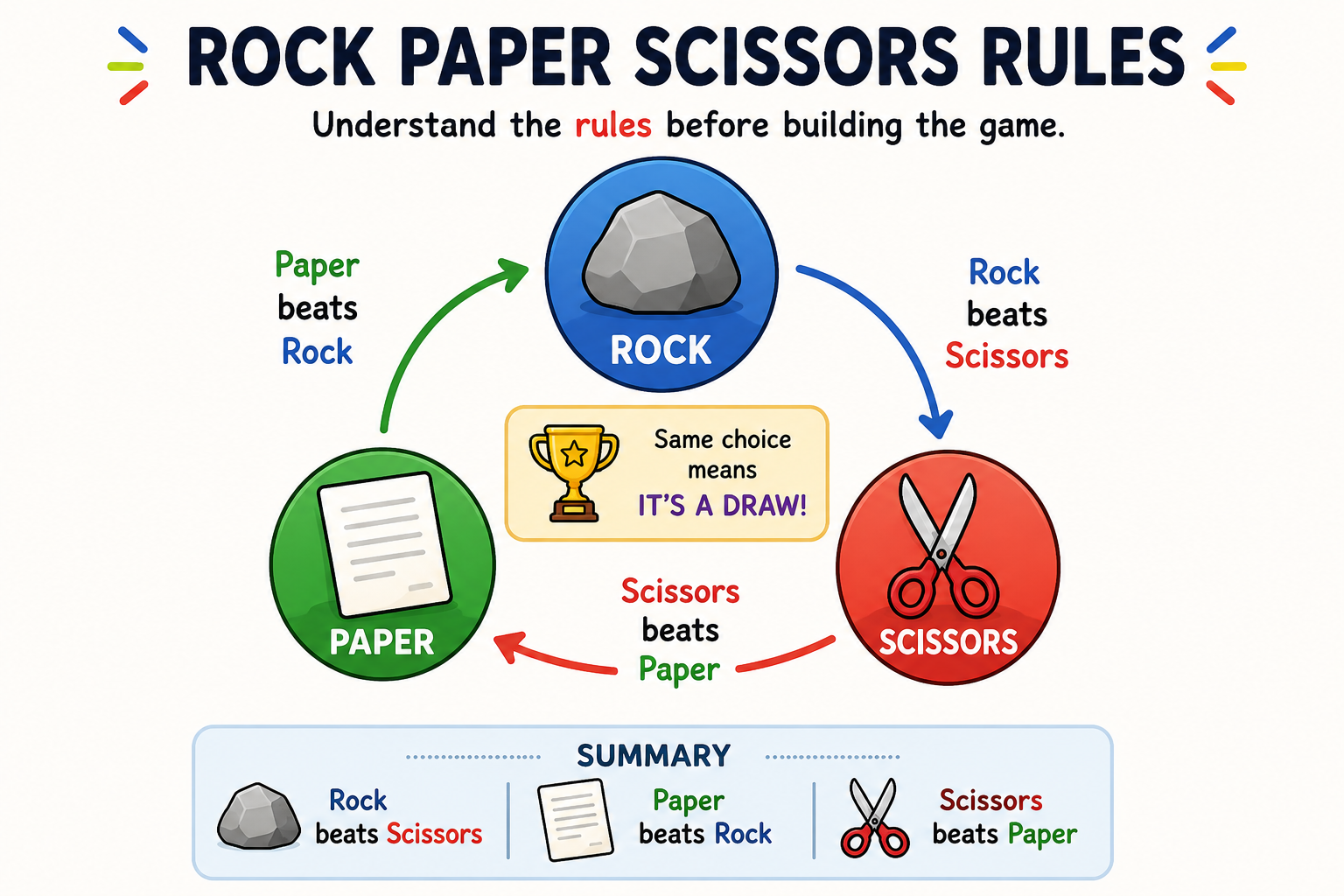
Before writing any code, it's important to understand how the Rock Paper Scissors game works. The player and the computer each choose one of three options, and the winner is decided based on simple game rules.
- ✊ Rock beats Scissors.
- ✌️ Scissors beats Paper.
- 🖐️ Paper beats Rock.
- If both choose the same option, the game ends in a draw.
Our Python program will ask the player for a choice, generate a random choice for the computer, compare both choices, and display the winner.
Understanding the random Module
Python provides a built-in module called random that helps generate random values. We'll use it so the computer can randomly choose Rock, Paper, or Scissors, making every game different.
random.py
After importing the random module, Python gives us access to useful functions like random.choice(), which randomly selects an item from a list.
Creating the Game Choices
Before the game begins, we need to create a list containing all possible choices. Python lists can store multiple values, making them perfect for storing Rock, Paper, and Scissors.
choices.py
The computer will later use this list to randomly select one of the three options using the random.choice() function.
Step 1: Ask the Player
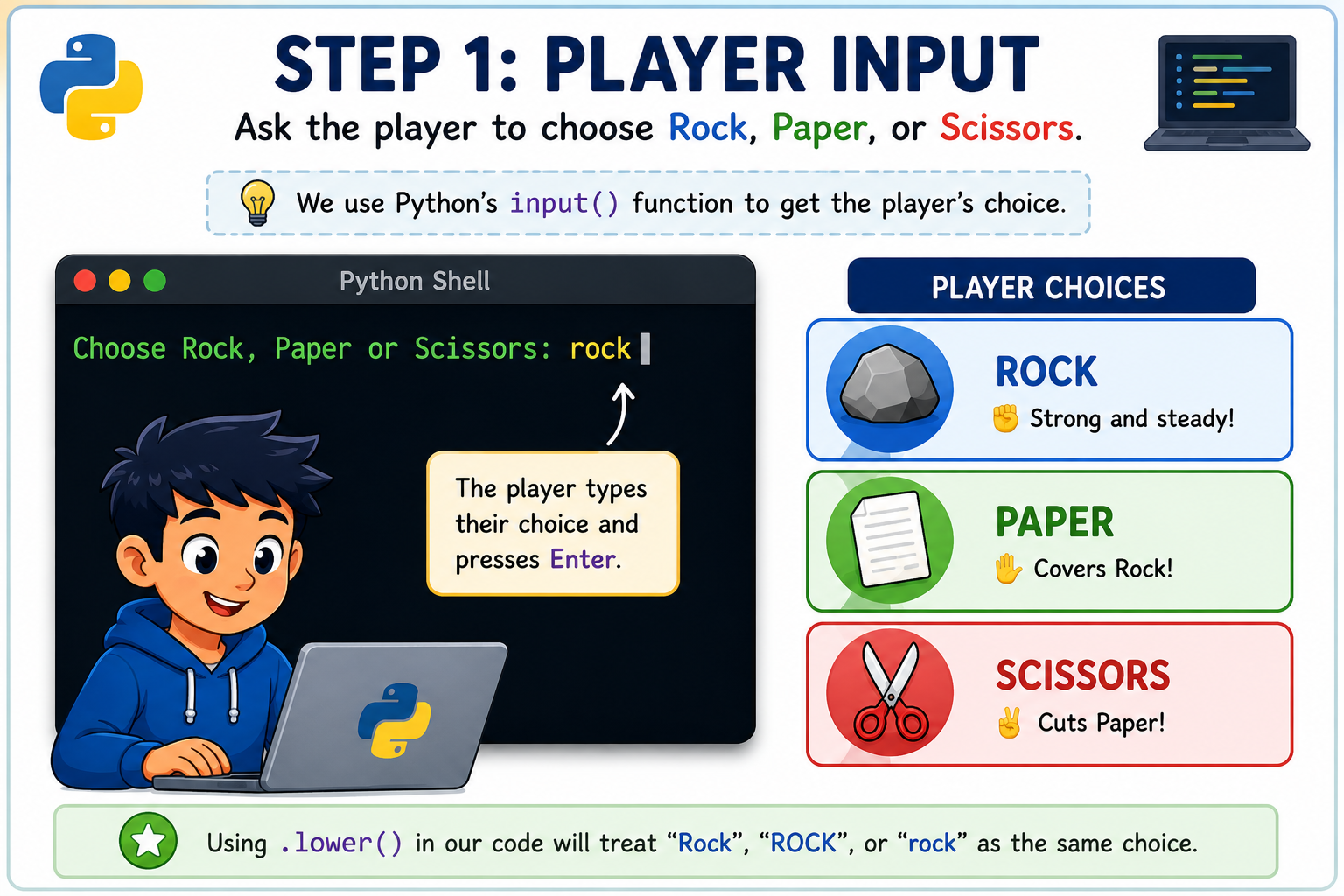
The first step is to ask the player whether they choose Rock, Paper, or Scissors. We'll use Python's input() function to collect the player's choice.
step1.py
The .lower() method converts the user's input into lowercase, ensuring that 'Rock', 'ROCK', or 'rock' are all treated the same.
Step 2: Generate the Computer's Choice
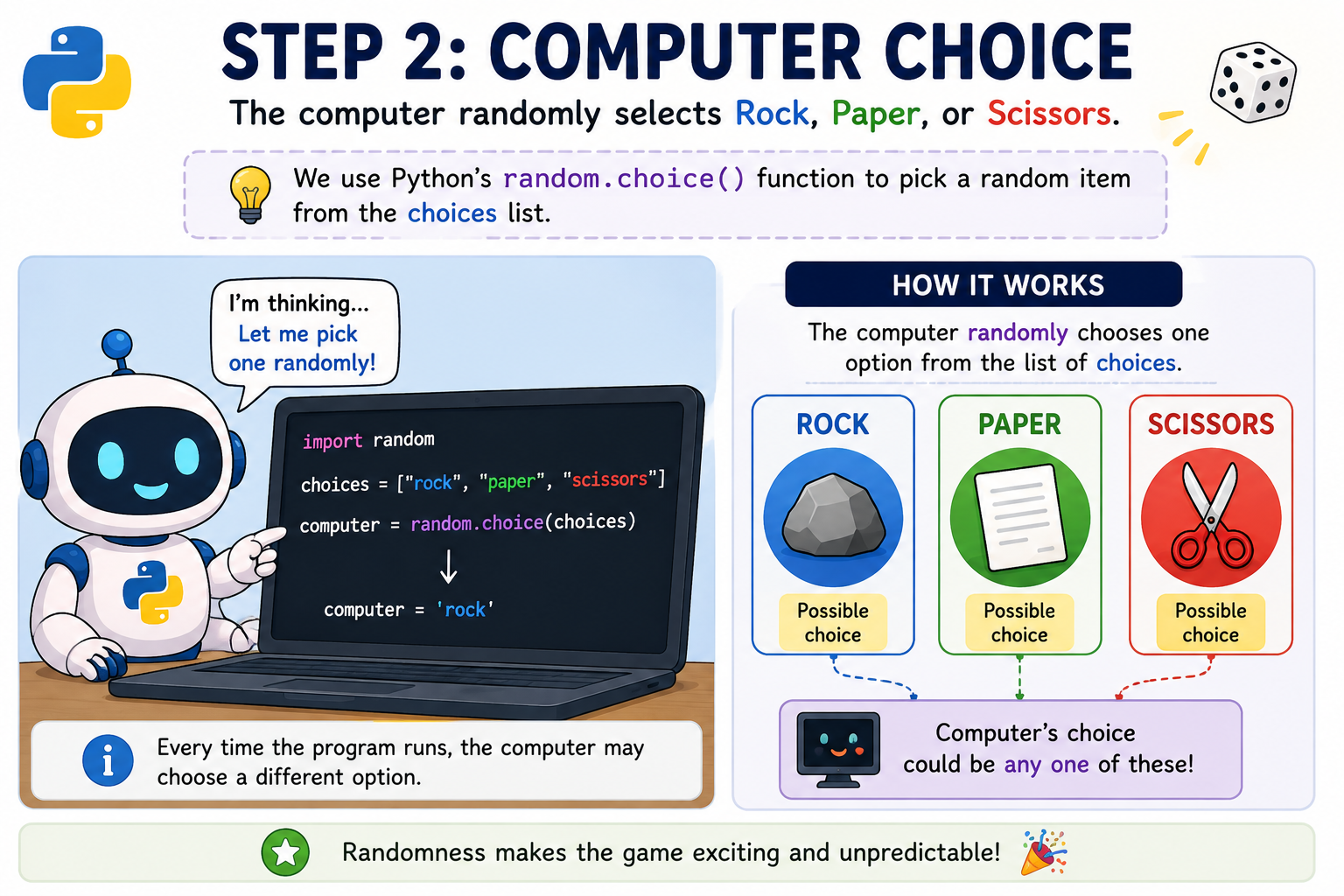
Now it's the computer's turn. Instead of asking for input, Python randomly selects one item from the choices list.
step2.py
Each time the program runs, the computer makes a different random choice, making every game unique.
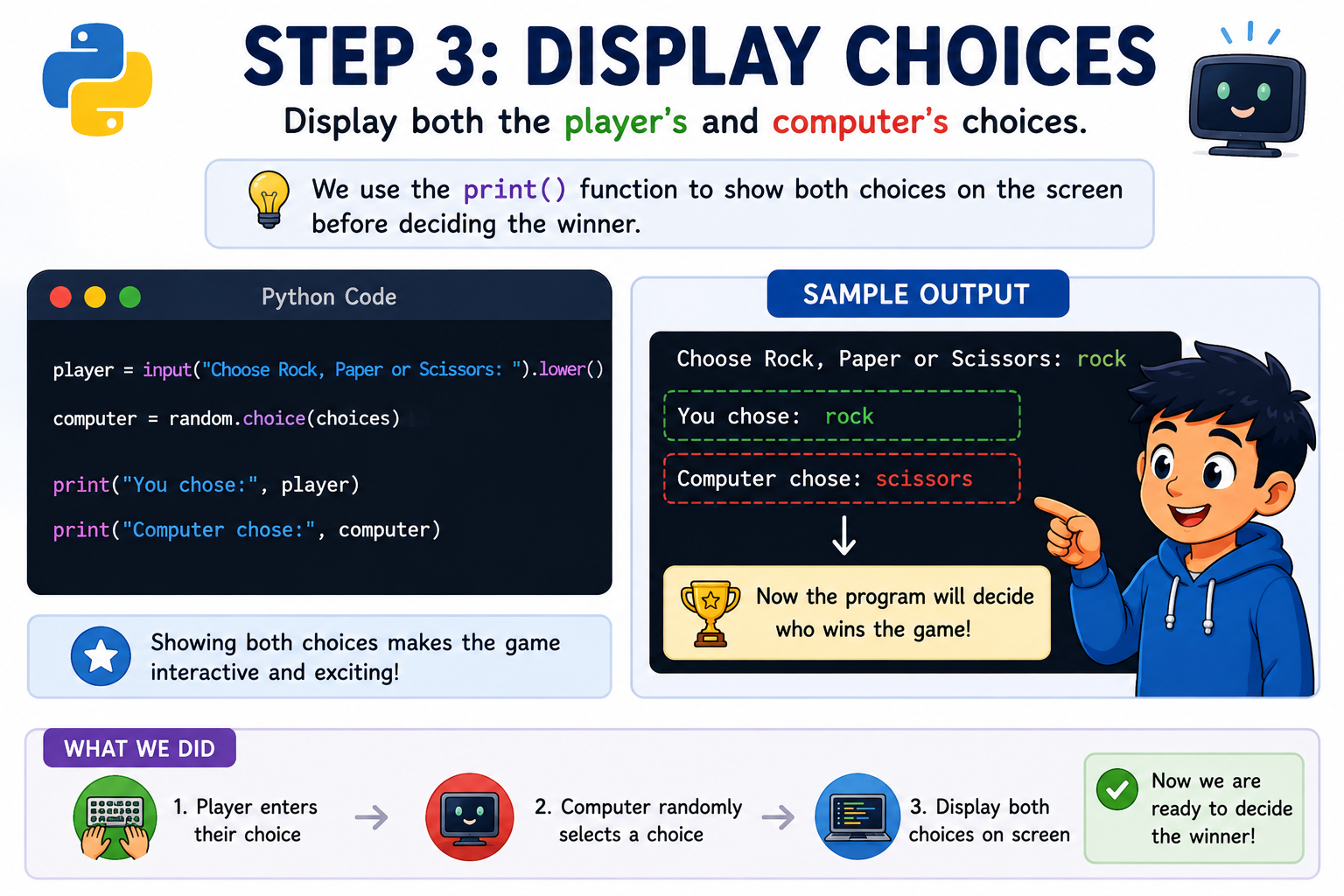
Step 3: Show Both Choices
Before deciding the winner, display both the player's choice and the computer's choice. This makes the game interactive and lets players see the result of each round.
step3.py
The print() function displays both choices on the screen before the program decides who wins.
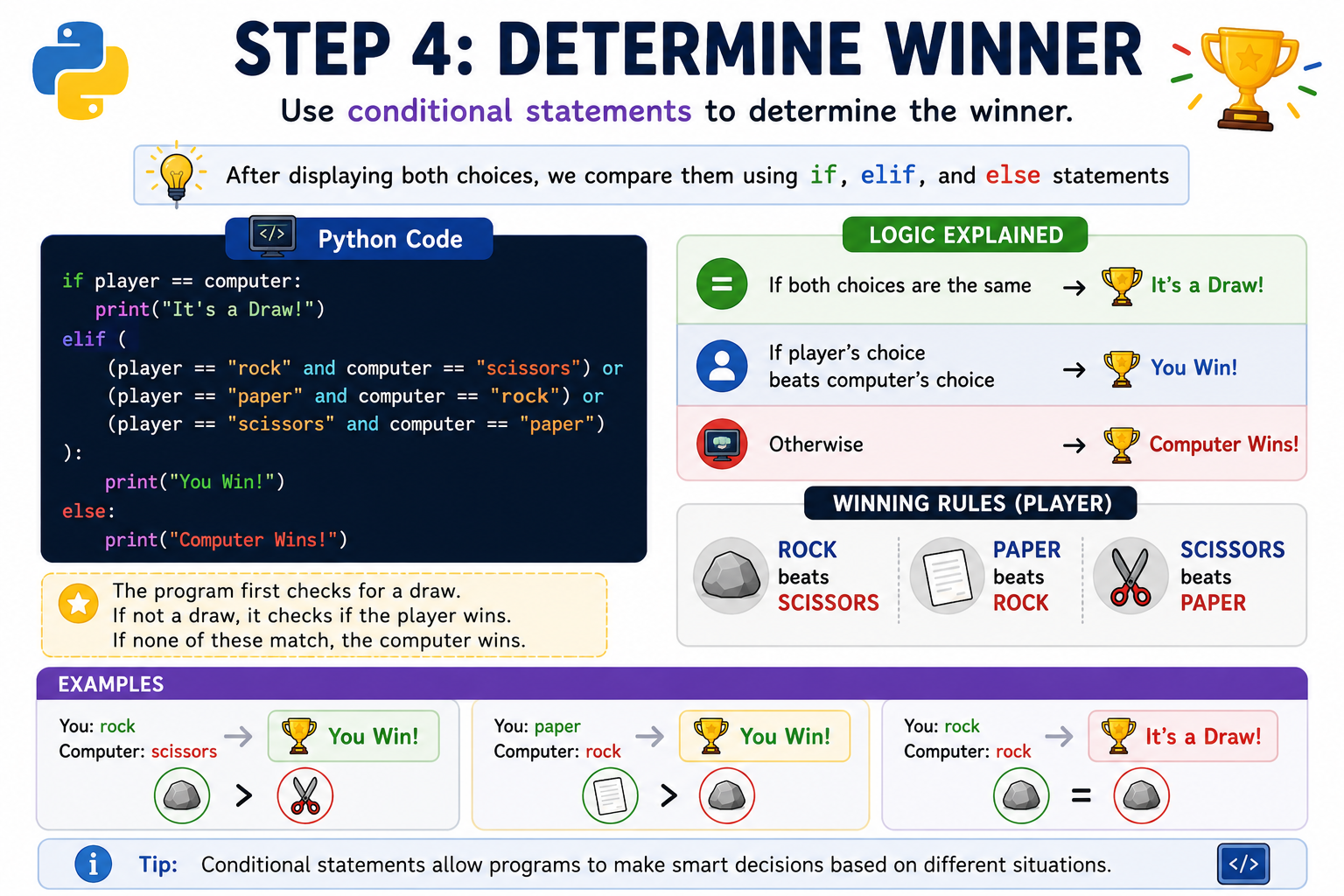
Step 4: Decide the Winner
Now comes the most exciting part of the game! After both the player and the computer have made their choices, Python compares them to determine the winner. We'll use if, elif, and else statements to check every possible outcome.
winner.py
The program first checks whether both players selected the same option. If they did, the result is a draw. Otherwise, it checks all winning combinations for the player. If none match, the computer is declared the winner.
Complete Python Code
Now combine everything you've learned into one complete Python program. Copy the code below into your Python editor and play your own Rock Paper Scissors game.
rock-paper-scissors.py
Example Output
Here's an example of what the program looks like when you run it.
output.txt
Because the computer chooses randomly, your output may be different each time you play.
Challenge Yourself
Congratulations on building your first Rock Paper Scissors game! Now it's time to make it even more exciting by adding your own features. These improvements will strengthen your Python skills while making the game more fun to play.
- 🏆 Add a scoreboard to track wins, losses, and draws.
- 🔄 Let players play multiple rounds using a loop.
- 🎮 Create a Best of 3 or Best of 5 game mode.
- 😀 Display emojis (✊ 🖐️ ✌️) instead of plain text.
- 🎨 Add colorful output using the Colorama library.
- 👥 Build a two-player version.
Conclusion
Congratulations! You've successfully built your own Rock Paper Scissors game in Python. Along the way, you've learned how to use variables, lists, user input, the random module, comparison operators, and conditional statements to create an interactive game.
Projects like this help you think logically and prepare you for more advanced Python applications. Keep experimenting by adding new features, improving the gameplay, and challenging yourself with even bigger Python projects.
🚀 Future Coders Program for Kids
Ready to Start Your Child's Future-Ready Tech Journey?
Empower your child with Coding, Artificial Intelligence, Web Development, Mobile Apps, Robotics, and Future-Ready Digital Skills through live interactive, project-based classes at TeacherColab.